DSCI 100 Week 5 : Version control
Sky (Kehan) Sheng
🏠 Housekeeping: Project
- If you completed your tutorials and worksheets in time but received a grade of 0 and believe this is an error, please email Julia at courses@stat.ubc.ca
- The course project starts this week!
- No tutorial assignment on version control this week.
- Instead, work on your project and complete up to Checkpoint A, and submit your repository URL to Canvas
- Lecture recordings (all front row students blocked) from week 2-4 are now available on Canvas under “Media Gallery”!
🏠 Housekeeping: Midterm
Important
- Bring a laptop. The Lockdown Browser does not work on an iPad or phone.
- Bring your UBC ID card, we will check it during the midterm.
- No AI-glasses or any camera, microphone, reocrding or communication devices allowed!
- Midterm is 2 weeks from now on Thursday, Oct 22, starting at the beginning of tutorial period.
- Closed book quiz on Canvas.
- You get a reference sheet of R functions. Practise with it now, so you know where everything is.
- You need to install the Lockdown Browser. More information to come.
- Test out the lockdown browser on Canvas by completing the iphone_poll quiz.
Thank you for your feedback from last week!
| Major feedback | What I will do |
|---|---|
| Which function do I use, and when? More depth, explination and examples |
|
| I get an error and I do not know what I did wrong. |
|
| Can we get tutorials back sooner? |
|
| Walk through common mistakes in assignments |
|
| Sky’s office hour clashes with my class. Online OH option? |
|
| Summary of all functions? |
|
| Tell us the goal before the new material. |
|
| The use of AI images: mixed feedback. |
|
Office Hours of all instructors and TAs
- You are welcome to join any OH of any instructors and TAs regardless of sections
- Sky’s OH: Thursday 4-5pm.
- In-person: ICCS Room 187
- Online: https://ubc.zoom.us/j/67387717219?pwd=l690LEyDQVu3VGQJRerrDhdLg7skpT.1
Tutorial 1 and 2: common mistakes
🚨 Relationship between two variables: needs both direction and strength
{
  // Draw only: the points, the ranges, the fitted lines and the wording all came from R.
  const pts = transpose(rel_points);
  const ranges = transpose(rel_range);
  const fits = transpose(rel_fit);
  const cells = [1, 2, 3, 4, 5, 6].map(p => {
    const rows = pts.filter(d => d.panel === p);
    const r = ranges.find(d => d.panel === p);
    const fit = fits.filter(d => d.panel === p);
    const title = rel_show
      ? html`<b>${rows[0].label}</b>`
      : html`<span style="color: #b8b6b0;">?</span>`;
    const smooth = rel_line
      ? [Plot.areaY(fit, {x: "x", y1: "lo", y2: "hi",
                          fill: "#b8b6b0", fillOpacity: 0.5}),
         Plot.line(fit, {x: "x", y: "y", stroke: "#eb6834", strokeWidth: 2.5})]
      : [];
    return html`<div>
      <div style="text-align: center; font-size: 18px; color: #eb6834; height: 24px;">${title}</div>
      ${Plot.plot({
        width: 290, height: 180,
        marginLeft: 10, marginRight: 10, marginTop: 6, marginBottom: 10,
        style: {background: "transparent"},
        x: {axis: null, domain: [r.x_min, r.x_max]},
        y: {axis: null, domain: [r.y_min, r.y_max]},
        marks: [
          Plot.frame({stroke: "#b8b6b0"}),
          smooth[0] ?? null,
          Plot.dot(rows, {x: "x", y: "y", fill: "#2a78d6", r: 3.5}),
          smooth[1] ?? null
        ]
      })}
    </div>`;
  });
  return html`<div>
    <div style="display: flex; flex-wrap: wrap;
      gap: 4px 14px; justify-content: center;">${cells}</div>
    <div style="text-align: center; font-size: 20px; height: 30px; margin-top: 4px;">
      ${rel_line ? html`<code>geom_smooth(method = "lm")</code> on the straight trends,
        <code>geom_smooth()</code> on the curve` : ""}
    </div>
  </div>`;
}- Direction is the tilt. Strength is how closely the points hug that tilt. An answer needs both.
- For “no relationship”, we do not say if it’s “strong” or “weak”.
- Points can follow a curve instead of a straight tilt: a non-linear relationship. Draw a curve for it, not a straight line.
🚨 Which variable goes on the y axis?
Our goal is to determine if there is a relationship between temperature and the number of people renting bikes.
- Which one could be influencing the other? Warm weather changes how many people rent a bike. The riders cannot change the weather.
- So the question is really: how does the number of rentals change as the temperature rises?
- The variable we want to see the effect on goes on the y axis. Rentals on y, temperature on x.
🚨 Read the question description carefully
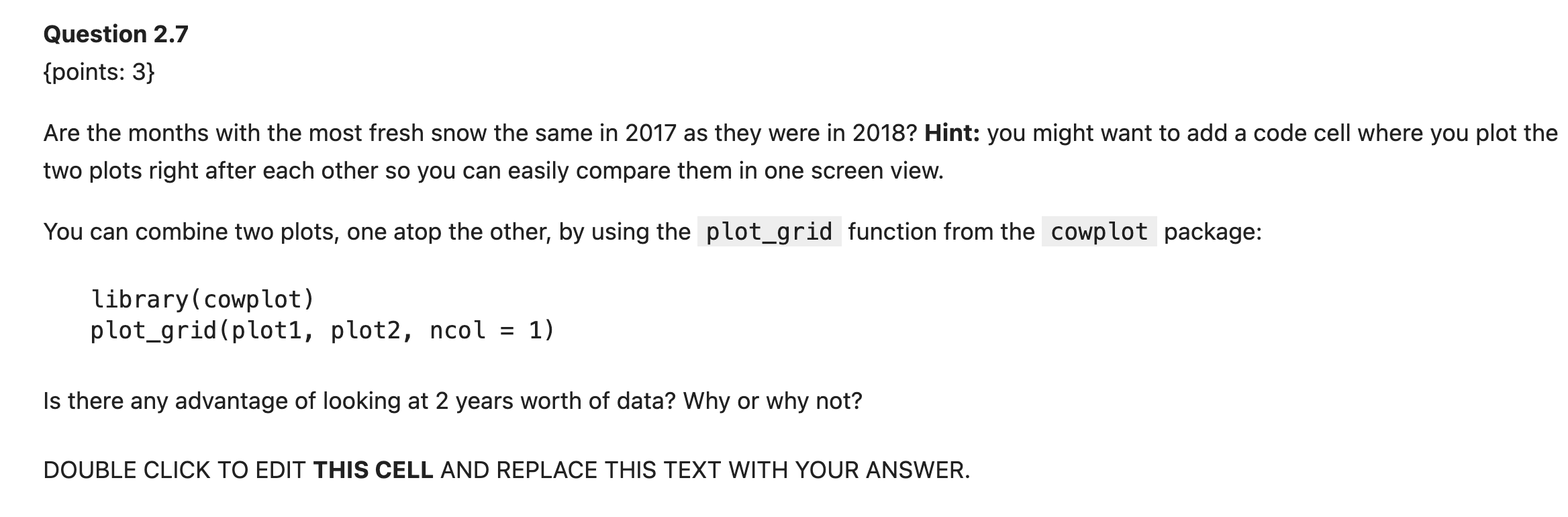
- Two questions, and the second one sits below the code hint. Count the question marks before you move on.
- Write your answer in the designated answer box.
Tutorial 2, Question 2.7
🚨 Correlation is not causation!
Just because two things happen at the same time does not mean one causes the other.
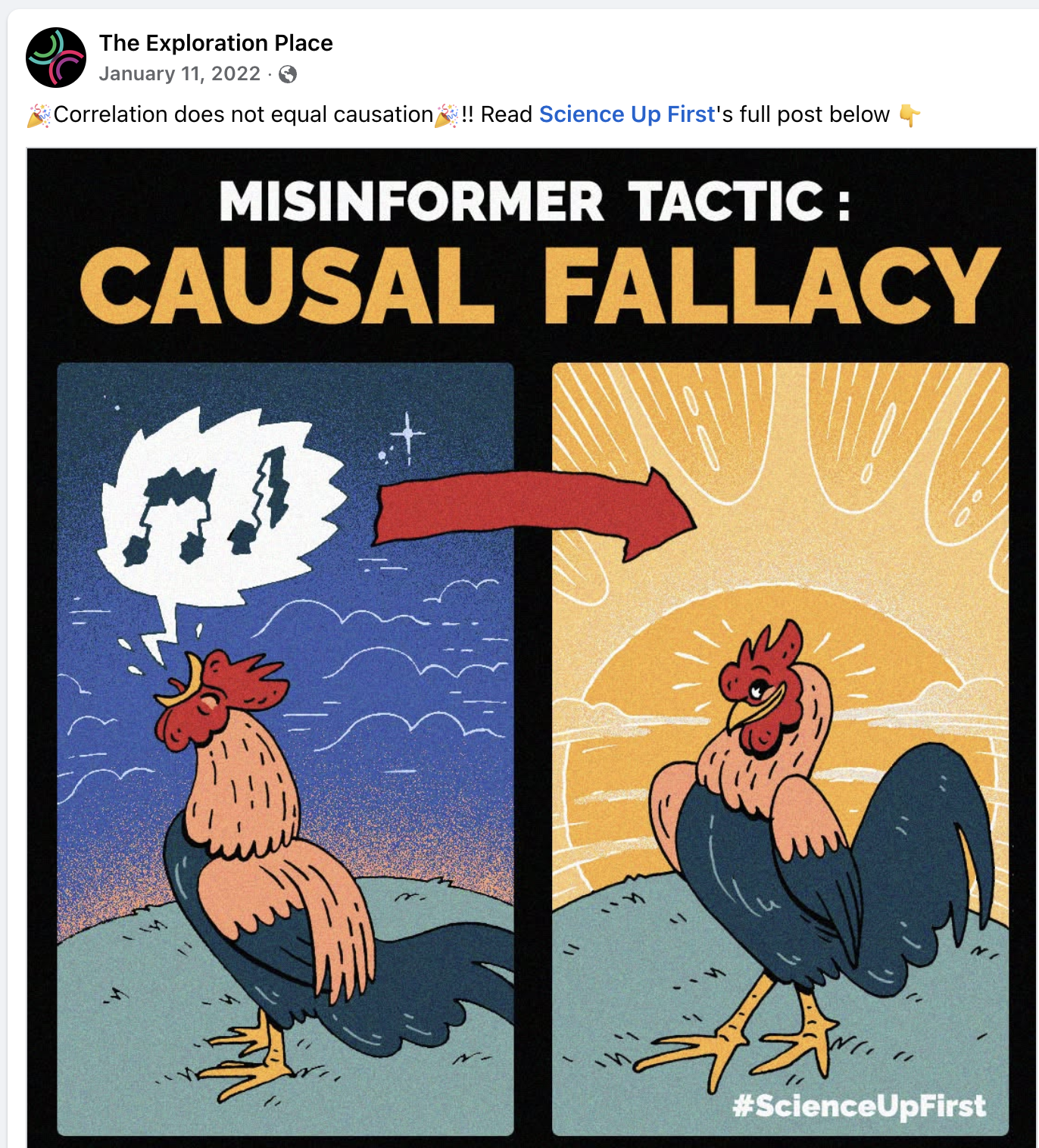
Source: The Exploration Place
🔁 Week 4 Recap: Effective data visualization
iClicker: Identify the correct visualization
🗺️ When do we use which plot?
| Plot | Use it to show | Example from the question | geom |
|---|---|---|---|
| Scatter | the relationship between two quantitative variables | firefighters vs. cost of damage | geom_point() |
| Line | how one quantitative variable changes over time | monthly profit over five years | geom_line() |
| Bar | amounts compared across groups (categories) | enrolments in five faculties | geom_bar(stat = "identity") |
| Histogram | how one quantitative variable is spread out | Vancouver house values | geom_histogram() |
More in the textbook: Chapter 4, Effective data visualization
Week 5: Version control
🎯 Today’s Learning Objectives
By the end of today, you will be able to:
- Understand the importance of version control and how it works.
- Tell Git and GitHub apart.
- Know how to add, commit, push and pull changes, and create a local copy or a remote repository.
- Set up your own project repository!
🤔 Which file should Sky hand in?
Sky’s project folder, the night before the deadline:
- Which one is the newest? 🤯
- Who changed what, and when?
- Your plot worked yesterday and broke today. How do you get yesterday back?
📧 Just email it to your team?
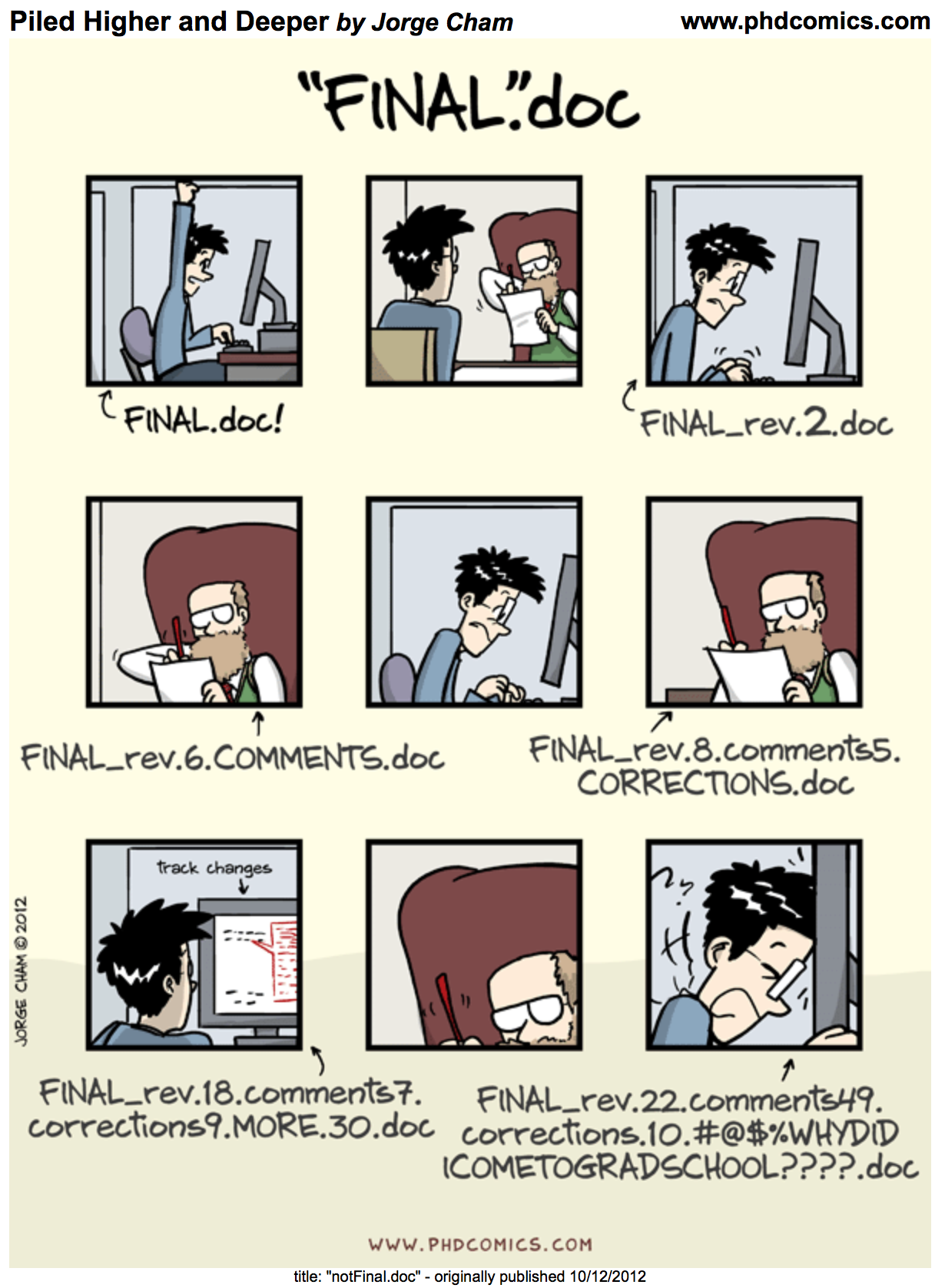
Source: Jorge Cham, PHD Comics
☁️ OK, a shared Google Drive then?
| Question | ☁️ Google Drive | |
|---|---|---|
| Which version is the newest? | ❌ | ✅ |
| Who changed what, and when? | ❌ | ⚠️ |
| Why was it changed? | ❌ | ❌ |
| Go back to a version that worked | ❌ | ⚠️ |
| What does each column name mean? | ❌ | ❌ |
| Organize discussed to-do items and bugs | ❌ | ❌ |
✏️ What is version control?
- Every time you reach a good point, take a snapshot of your project.
- Each snapshot records: what changed, who changed it, when, and a short message saying why.
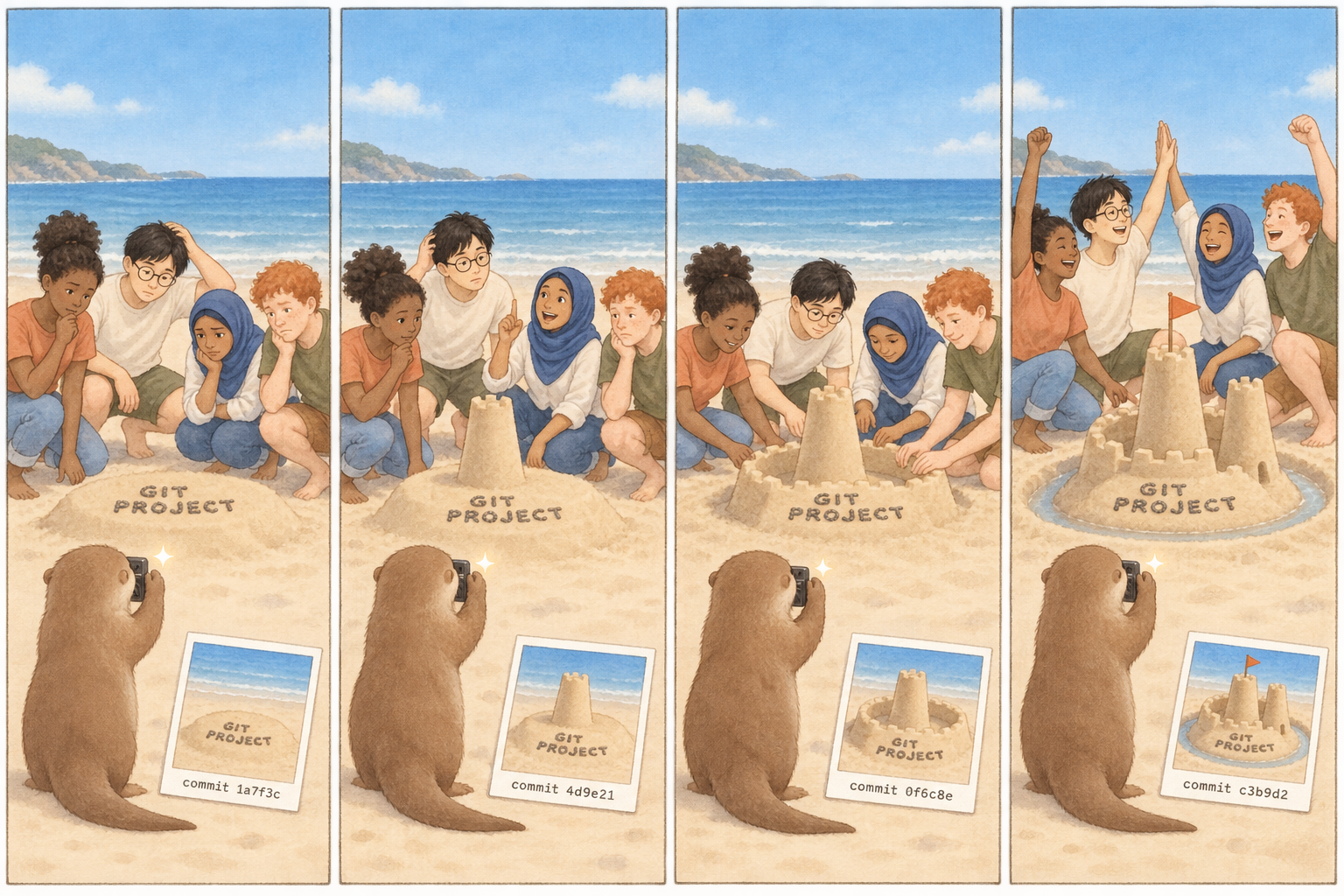
Image generated by OpenAI GPT-2.5-sunburst model
✏️ What is version control?
- You can look at any old version, and go back to it (yeah time travel!)
- Two people edited the same line? It helps you sort that out.
version control: keeping a record of every change to your files.
Made for software, now used everywhere, from data analysis to writing. These slides is under version control too.
🧰 Two tools: Git and GitHub

Git: is a version control system on your computer. It’s like the camera and photo album stored on your computer.
- Tracks changes to files in a repository: a folder you tell Git to pay attention to
- Keeps every snapshot in a hidden
.gitfolder - Works without internet
- Handles conflict resolution
- Runs on your and your teammates’ computers

GitHub: a cloud-based service that keeps a shared copy of your repository online
- Lets your teammates get your snapshots, and you get theirs
- Handles permission: Controls who can see and who can edit
- Has a tab called “Issues” to support project-specific communications: a to-do list and discussion board for the project
- Can be used to build and host websites/blogs (e.g. this slide’s website)
iClicker: Git or GitHub?
📸 add, commit, push, pull
📸 Where your work lives
viewof gp_step = {
  const n = transpose(gp_steps).length;
  const wrap = document.createElement("form");
  wrap.onsubmit = e => e.preventDefault();
  wrap.style = "display: flex; gap: 10px; align-items: center; margin-bottom: 6px;";
  const mk = label => {
    const b = document.createElement("button");
    b.type = "button";
    b.textContent = label;
    b.style = "font-size: 17px; padding: 3px 16px; border-radius: 6px; cursor: pointer;" +
              "border: 2px solid #2a78d6; background: #ffffff; color: #2a78d6;";
    return b;
  };
  const back = mk("← Back"), next = mk("Next →");
  const readout = document.createElement("span");
  readout.style = "font-size: 15px; color: #8a8880;";
  wrap.append(back, next, readout);
  const render = () => {
    readout.textContent = `Step ${wrap.value} of ${n - 1}`;
    for (const [b, off] of [[back, wrap.value === 0], [next, wrap.value === n - 1]]) {
      b.disabled = off;
      b.style.opacity = off ? 0.3 : 1;
      b.style.cursor = off ? "default" : "pointer";
    }
  };
  const go = d => {
    wrap.value = Math.min(n - 1, Math.max(0, wrap.value + d));
    render();
    wrap.dispatchEvent(new CustomEvent("input"));
  };
  back.onclick = () => go(-1);
  next.onclick = () => go(1);
  wrap.value = 0;
  render();
  return wrap;
}
gp_row = transpose(gp_steps).find(d => d.step === gp_step)
{
// Draw only. Boxes, items, colours, commands and captions came from R.
const items = transpose(gp_items).filter(d => d.step === gp_step);
const places = transpose(gp_places);
const zones = transpose(gp_zones);
// The whole instruction for this step, pinned above everything else.
const instructions = `
<div style="border: 2px solid ${gp_row.is_cmd ? "#2a78d6" : "#e4e3df"};
border-radius: 8px; background: #fcfcfb; padding: 6px 12px;
margin-bottom: 8px; min-height: 100px;">
<div style="display: flex; align-items: baseline; gap: 12px; flex-wrap: wrap;">
<span style="font-size: ${gp_row.is_cmd ? "20px" : "16px"};
font-weight: ${gp_row.is_cmd ? "bold" : "normal"};
font-family: ${gp_row.is_cmd ? "var(--r-code-font, monospace)" : "inherit"};
color: ${gp_row.is_cmd ? "#2a78d6" : "#b8b6b0"};">${gp_row.headline}</span>
</div>
<div style="font-size: 13px; color: #8a8880; min-height: 18px;">${gp_row.jupyter || " "}</div>
<div style="font-size: 16px; color: #52514e; margin-top: 2px;">${gp_row.caption}</div>
</div>`;
const chip = cmd => {
const on = gp_row.active === cmd.key;
return `<div style="border: 2px solid ${on ? "#2a78d6" : "#e4e3df"};
background: ${on ? "#2a78d6" : "#ffffff"};
color: ${on ? "#ffffff" : "#b8b6b0"};
font-weight: ${on ? "bold" : "normal"};
border-radius: 13px; padding: 1px 0; margin: 2px 0; text-align: center;
font-size: 13px; white-space: nowrap;">${cmd.text}</div>`;
};
// One box: a place inside a container, with whatever sits in it this step.
const box = p => `
<div style="grid-row: 1; grid-column: ${p.col}; border: 2px ${p.dashed ? "dashed" : "solid"} #d9d8d4;
border-radius: 8px; padding: 5px 6px; background: #ffffff;">
<div style="font-size: 14px; font-weight: bold; color: #52514e;
line-height: 1.2;">${p.icon} ${p.title}</div>
<div style="font-size: 11px; color: #8a8880; line-height: 1.25;
min-height: 28px;">${p.blurb}</div>
${items.filter(d => d.place === p.place).map(d => `
<div class="cell-box ${d.css}" style="display: block; height: auto;
min-height: 0; min-width: 0; margin: 4px 0; padding: 3px 4px;
font-size: 11px; line-height: 1.25; text-align: center;">${d.label}${
d.meta ? `<div style="font-size: 10px; opacity: 0.75;">${d.meta}</div>` : ""
}</div>`).join("")}
</div>`;
const header = z => `
<div style="margin-bottom: 5px;">
<span style="font-size: 13px; color: #8a8880;">${z.heading}</span>
<span style="font-size: 15px; font-weight: bold; color: #52514e;
margin-left: 6px;">${z.subtitle}</span>
</div>`;
// The local project folder: a real folder on your laptop that holds all three.
const inner = gp_row.folder
? `<div style="display: grid; grid-template-columns: 1fr 64px 1fr 64px 1fr;
align-items: start;">
${places.filter(p => p.zone === "folder").map(box).join("")}
<div style="grid-row: 1; grid-column: 2; align-self: center;">${chip({key: "add", text: "add →"})}</div>
<div style="grid-row: 1; grid-column: 4; align-self: center;">${chip({key: "commit", text: "commit →"})}</div>
</div>`
: `<div style="display: flex; align-items: center; justify-content: center;
min-height: 150px; font-size: 15px; color: #b8b6b0;">${gp_row.folder_note}</div>`;
const folderZone = `
<div style="grid-column: 1; border: 2px ${gp_row.folder ? "solid #52514e" : "dashed #d9d8d4"};
border-radius: 10px; padding: 7px 9px; background: #f7f7f5;">
${header(zones[0])}${inner}
</div>`;
const remoteZone = `
<div style="grid-column: 3; border: 2px solid #52514e; border-radius: 10px;
padding: 7px 9px; background: #f7f7f5;">
${header(zones[1])}
<div style="display: grid; grid-template-columns: 1fr; row-gap: 6px;">
${places.filter(p => p.zone === "remote").map((p, i) =>
box(p).replace("grid-row: 1;", `grid-row: ${i + 1};`)).join("")}
</div>
</div>`;
const key = l => `
<span style="display: inline-flex; align-items: center; gap: 4px; margin: 0 7px;">
<span class="cell-box ${l.css}" style="width: 13px; min-width: 0; height: 13px;
padding: 0; border-radius: 3px;"></span>${l.label}</span>`;
const div = document.createElement("div");
div.innerHTML = instructions + `
<div style="display: grid; grid-template-columns: 1fr 74px 215px; align-items: start;">
${folderZone}
<div style="grid-column: 2; align-self: center;">
${chip({key: "clone", text: "← clone"})}
${chip({key: "push", text: "push →"})}
${chip({key: "pull", text: "← pull"})}
</div>
${remoteZone}
</div>
<div class="ds-caption" style="font-size: 12px; margin-top: 4px;">${transpose(gp_legend).map(key).join("")}</div>`;
return div;
}iClicker: Send your changes to GitHub
⏪ Time travel through your history
{
  // Draw only: the log, the file lines and the new-line flags were prepared in R.
  const log = transpose(tt_log).map(d => `
    <div style="padding: 4px 8px; margin: 3px 0; border-radius: 6px; font-size: 15px;
        background: ${d.commit === tt_commit ? "#2a78d6" : "transparent"};
        color: ${d.commit === tt_commit ? "#ffffff" : d.commit > tt_commit ? "#b8b6b0" : "#52514e"};">
      <code style="color: inherit;">${d.hash}</code> ${d.author}, ${d.when}<br>${d[tt_style]}
    </div>`).join("");
  const lines = transpose(tt_lines).filter(d => d.commit === tt_commit).map(d => `
    <span style="display: block; padding-left: 6px; min-height: 1.3em;
        border-left: 4px solid ${d.is_new ? "#eb6834" : "transparent"};">${d.text}</span>`).join("");
  const div = document.createElement("div");
  div.innerHTML = `
    <div style="display: flex; gap: 16px;">
      <div style="flex: 0 0 34%;">
        <div style="font-weight: bold; font-size: 17px; color: #52514e;">History (newest on top)</div>
        ${log}
      </div>
      <div style="flex: 1; min-width: 0;">
        <div style="font-weight: bold; font-size: 17px; color: #52514e;">analysis.ipynb at this commit</div>
        <pre style="font-size: 13px; line-height: 1.35; white-space: pre-wrap;"><code>${lines}</code></pre>
        <div class="ds-caption" style="text-align: left;">Orange bar: lines this commit added or changed.</div>
      </div>
    </div>`;
  return div;
}
Three months later, your plot looks wrong. With lazy messages, which commit do you go back to?
Git clone: create a local copy of the remote repository on GitHub
Before you can add, commit, push or pull, you need the repository on your computer.
- clone: copy a repository from GitHub to your computer, with its full history and the address of GitHub.
- Do it once per computer. After that, use pull to get new snapshots.
- ⚠️ Download ZIP is not the same: you get the files, but no history and no link back to GitHub, so you can’t push.
📋 Your course project
Here are the instructions for the course project: Course Project, also in the menu at the top of this site.
iClicker: Which Git step?
🗺️ Today in one table
| Git terminology | What it does | From → to |
|---|---|---|
| repository | a folder Git watches | |
| clone | copy a repository from GitHub, once | GitHub → local computer |
| add | choose changes for the next snapshot | local computer → staging area |
| commit | save a snapshot with a message | staging area → .git |
| push | send your snapshots to GitHub | .git → GitHub |
| pull | get new snapshots from GitHub | GitHub → .git and local computer |
| personal access token | the password GitHub wants when you push |
More in the textbook: Chapter 12, Collaboration with version control
📅 Upcoming Due Dates
worksheet_version_controldue SATURDAY, Oct 10, 11:59pm- Project up to Checkpoint A due SATURDAY, Oct 10, 11:59pm
- No tutorial assignment this week
Important
- You must submit your repository URL to Canvas!
- Test out the Lockdown Browser on Canvas by completing the iphone_poll quiz.
❓ Questions?
If not, let’s work on this week’s worksheet together.
- Want to save these slides? Right click → Print → Save to PDF.
- Your code and notes only save if you save as a PDF!
- Today’s lecture recordings (all front row students blocked) will be uploaded to Canvas under “Media Gallery”!
Tip
Which function do I use? Function cheatsheet