DSCI 100 Week 2 : Reading in data locally and from the web

Sky (Kehan) Sheng

Slides for Section 008

Uniform Resource Locator (URL): www.skysheng.io/dsci_100_sky_slides/

🌐 File Locations: Remote (on the Internet)

A remote file lives on the internet, and is accessed via a URL that starts with http:// or https://. For example:

http://traffic.libsyn.com/mbmbam/MyBrotherMyBrotherandMe367.mp3

πŸ“‹ Housekeeping: Late Registrants

  • Welcome! πŸŽ‰
  • Any assignment from a class that happened before you registered is due 1 week after you registered
  • Any assignment from a class that happened after you registered is due at the regular time

πŸ“‹ Housekeeping: Communications

  • Questions about course material, worksheets, or clarifications β†’ Piazza or Office Hours
  • Questions about academic concessions, due dates, late registration, admin stuff β†’ Julia courses@stat.ubc.ca
  • Private matters, accommodations, mentorship β†’ email me at skysheng@cs.ubc.ca or come by Office Hours
  • Office hours (see Canvas for schedule): feel free to drop by any office hours, regardless of the section you’re in!

πŸ“‹ Housekeeping: A Few Reminders

  • ❓ Questions are always welcome! Asking a question is a sign that you’re thinking. If you have a question, chances are others are wondering the same thing too
  • πŸ“– Please read the book! the answers to your assignment questions are often already there
  • πŸŒ™ TAs & skys don’t necessarily work late nights or weekends. Start your assignments early: if you get stuck, it’s much quicker to hear back from the teaching team during normal working hours on weekdays

πŸ“‹ Housekeeping: Worksheets/Tutorials

  • No need to submit anything on Canvas β€” the server automatically submits your work for you at the deadline!

  • Remember: when in doubt, Kernel β†’ Restart Kernel and Run All (or the β–Άβ–Ά button)

  • When working on assignments, you’ll see cells that say:

    DOUBLE CLICK TO EDIT THIS CELL AND REPLACE THIS TEXT WITH YOUR ANSWER

    ⚠️ Make sure you double click and edit that cell directly β€” your answer won’t be graded otherwise!

  • πŸ”Œ Shut down the server when you’re done working

Week 1 Recap

Different file formats

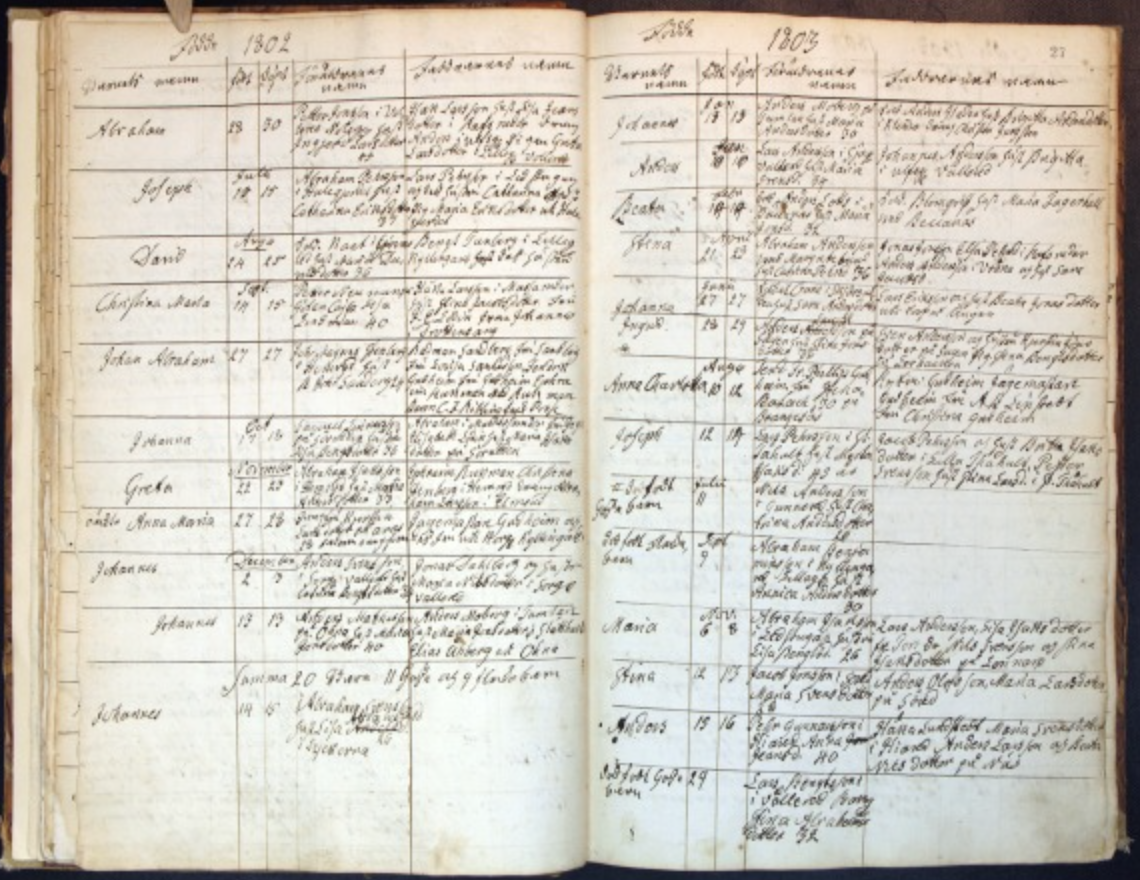
Hand-written notes
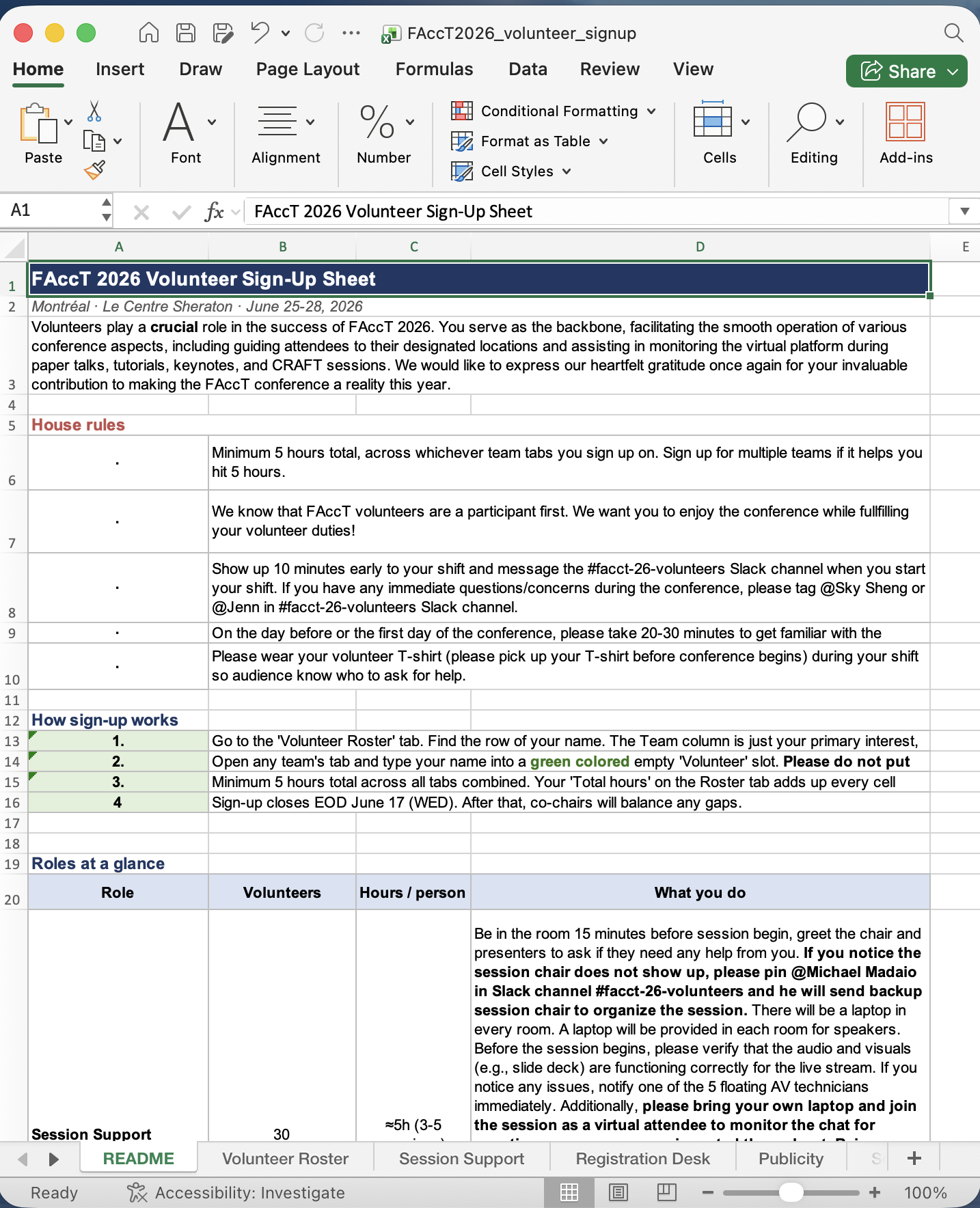
Excel sheet

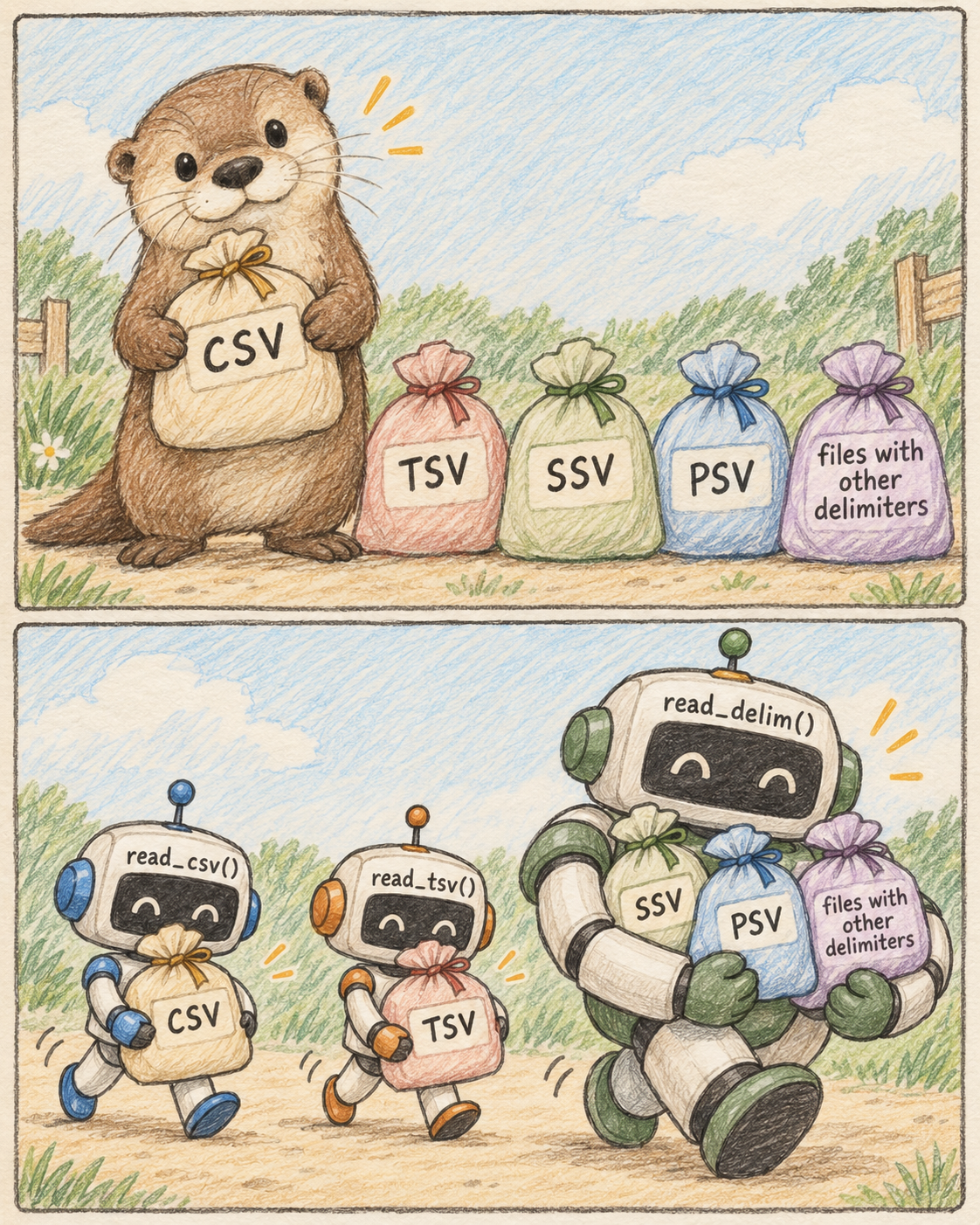
More file formats

animal,legs,sound
otter,4,squeak
owl,2,hoot
duck,2,quack

Comma-Separated Values (CSV)

animal  legs    sound
otter   4   squeak
owl 2   hoot
duck    2   quack

Tab-Separated Values (TSV)

animal;legs;sound
otter;4;squeak
owl;2;hoot
duck;2;quack

Semicolon-Separated Values (SSV)

animal|legs|sound
otter|4|squeak
owl|2|hoot
duck|2|quack

…or anything you want, just be consistent!

Different way to β€œbag” and β€œread” data

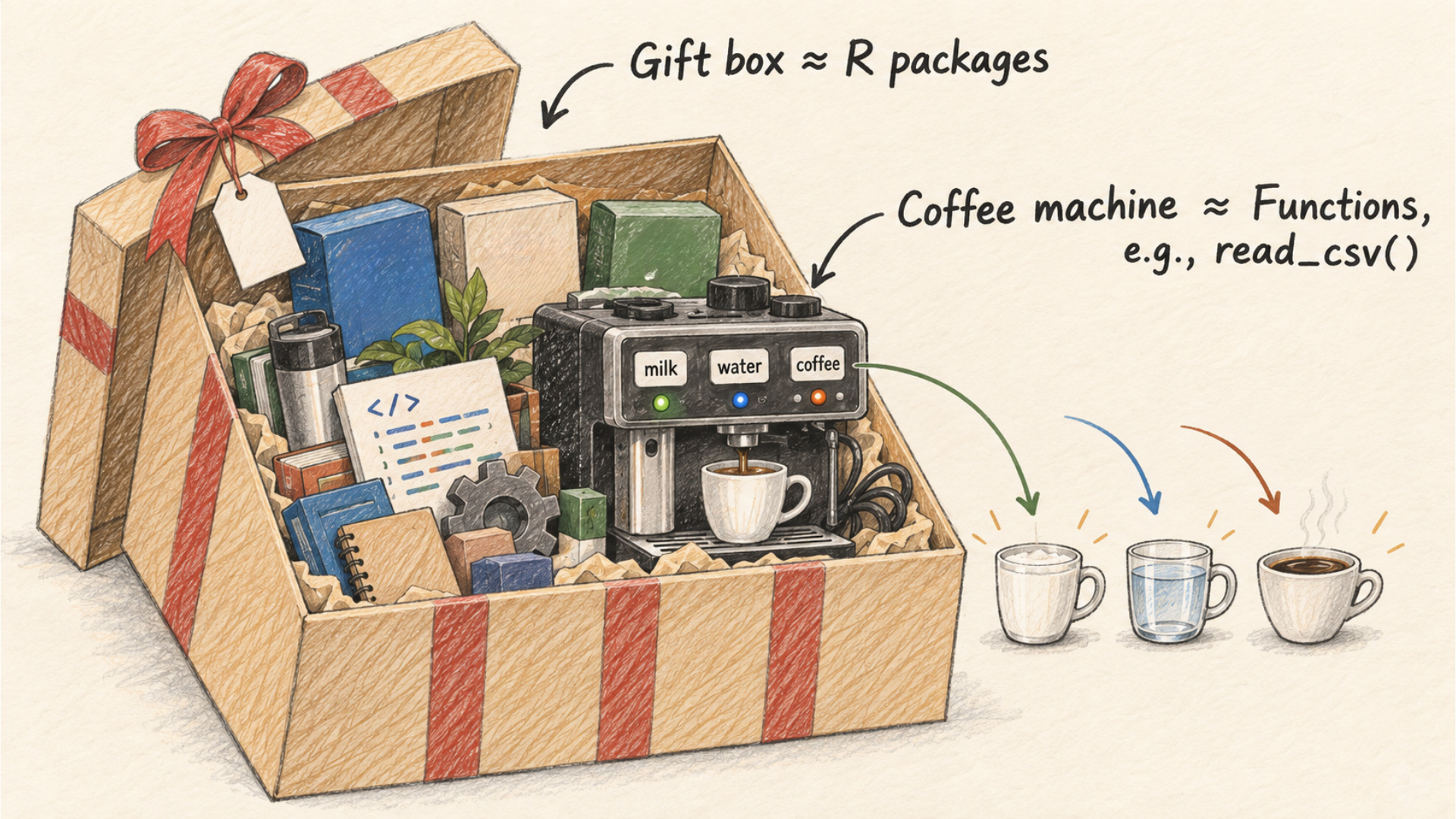
What is R package? What is a function? What is an argument?

R package β‰ˆ A box of tools; Function β‰ˆ A tool to use; Argument β‰ˆ The input to the tool

Writing Good Variable Names

  • Can include letters (A–Z, a–z), numbers, underscores (_), and dots (.)
  • Cannot start with a number (e.g., 2cats ❌)
  • Cannot contain spaces β€” use my_cat, not my cat ❌
  • Case-sensitive: Result and result are two different variables
  • Use lowercase letters: my_age βœ…
  • Use underscores to separate words: favorite_color βœ…
  • Choose meaningful, descriptive names: student_count βœ… (not a or b ❌)

πŸ†˜ Frequently Asked Questions (FAQ)

  • Error: object 'my_variable' not found β†’ Happens when you run cells out of order in Jupyter. Run the code cell that creates the variable first, then check your spelling.

  • Unmatched parentheses or quotes β†’ Every ( needs a ), and every opening " needs a closing ".

  • What does # do? β†’ # is a symbol to tell R that you are writing a comment for humans to read. R ignores everything after it on that line. Comments are not instructions for R.

  • Does empty space and indentation matter? β†’ No,empty space and indentation are ignored by R.

    # This line is a comment -- R will not run it
    my_variable <- 10  # you can also add a comment after code

πŸ†˜ FAQ: Should I use <- or = ?

  • Use <- to assign a value to a variable (standard convention)

  • Reserve = for setting arguments inside a function call.

    variable_name <- 2
    my_data <- read_csv("data/my_observation.csv", skip = 3)
  • Why does <- vs = matter? β†’ To avoid ambiguity, reserve <- for assignment and = for function arguments.

    mean(x = c(1, 2, 3))   # calculates the mean of 1, 2, 3; x is just an argument name
    mean(x <- c(1, 2, 3))  # creates a variable x storing c(1, 2, 3)

πŸ†˜ FAQ: When should I use quotation marks?

  • Use quotes ("...") around character strings (text).

  • Variable and object names are never quoted.

  • Quotation marks "" is letting R know that you want to print exactly that sentence or words into the output or plot.

    name <- "Sky"   # "Sky" is a string -> needs quotes
    print(name)     # name is a variable -> no quotes

Functions You’ll Be Using from Tidyverse

  • filter() β€” keep rows that match a condition
  • select() β€” keep specific columns
  • arrange() β€” sort rows by a column’s values
  • slice() β€” keep rows by their position
  • mutate() β€” create or modify a column
  • ggplot() β€” build a plot, layer by layer

iClicker: Which time slot works best for you for Office Hours?

  • (A) Tuesday 4–5pm
  • (B) Thursday 4–5pm
  • (C) Friday 11am–12pm
  • (D) Friday 1–2pm

Week 2: Reading in data into R

πŸ€” Why Use R?

… and why can’t I just use Excel?

vs. 

There are many advantages to using a programming language like R (or Python, Julia, etc.) over spreadsheet software:

  • statistical analysis functions that go beyond Excel
  • free and open-source
  • transparent & reproducible code
  • can handle large amounts of data and complex analyses

πŸͺ Why Use R? Think of It Like Baking

Using a programming language is like baking with a recipe:

Ingredients = data

Recipe = code

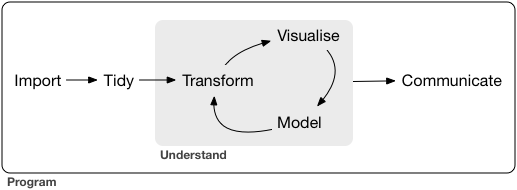
πŸ”„ Data Science Workflow

πŸ“₯ Loading/Importing Data

4 most common ways to do this in data science:

  1. read in a text file with data in a spreadsheet format
  2. read from a database (e.g., SQLite, PostgreSQL)
  3. scrape data from the web (optional bonus material)
  4. use a web API (Application Programming Interface) to read data from a website (optional bonus material)

πŸ’» File Locations: Local (on Your Computer)

  • An absolute path locates a file with respect to the β€œroot” folder on a computer
    • starts with /
    • e.g. /home/sky/documents/timesheet.xlsx
  • A relative path locates a file relative to your working directory
    • doesn’t start with /
    • e.g. documents/timesheet.xlsx (where the working directory is /home/sky/)

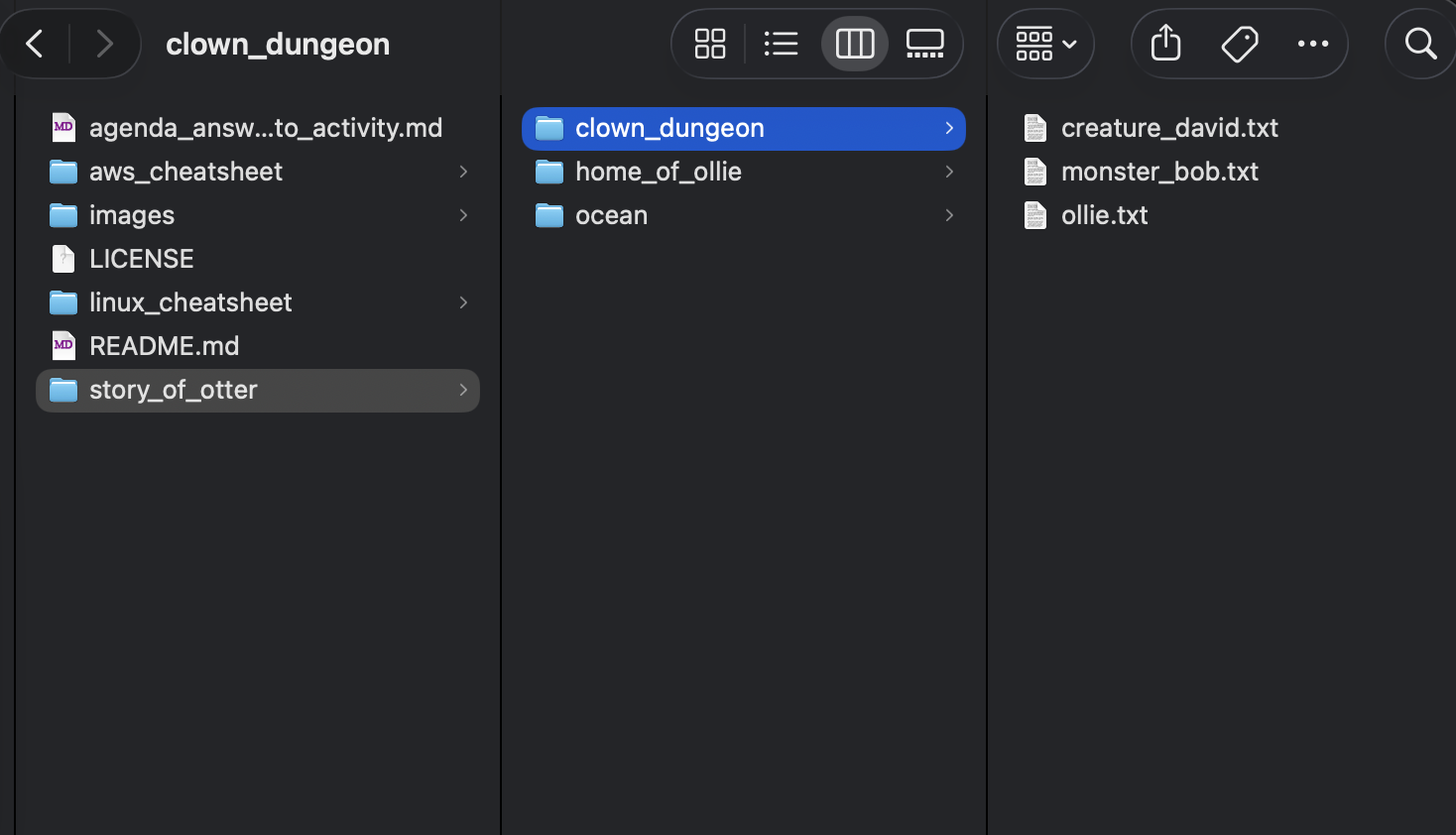
πŸ“‚ Same Folder Structure, Two Views

File Explorer (OS GUI)

.../
β”œβ”€β”€ ... # other folders and files
└── story_of_otter/
    β”œβ”€β”€ clown_dungeon/
    β”‚   β”œβ”€β”€ creature_david.txt
    β”‚   β”œβ”€β”€ monster_bob.txt
    β”‚   └── ollie.txt
    β”œβ”€β”€ home_of_ollie/
    └── ocean/

Directory Tree

🦦 Absolute vs. Relative Paths: story_of_otter Example

home/
β”œβ”€β”€ isaac/
└── sky/                    
    β”œβ”€β”€ images/
    └── story_of_otter/ ⬅️ cwd
        β”œβ”€β”€ clown_dungeon/
        β”‚   β”œβ”€β”€ creature_david.txt
        β”‚   β”œβ”€β”€ monster_bob.txt
        β”‚   └── ollie.txt
        β”œβ”€β”€ home_of_ollie/
        └── ocean/
absolute path relative path

/home/sky/story_of_otter/clown_dungeon

clown_dungeon

/home/sky/story_of_otter/clown_dungeon/ollie.txt

clown_dungeon/ollie.txt

/home/sky/images

../images

/home/sky/story_of_otter

.

/home/sky

~

/home/sky/story_of_otter/ocean

~/story_of_otter/ocean

πŸ“‚ Absolute vs. Relative Paths

  • Generally, to ensure your code can run on a different computer, you should use relative paths

  • Example:

    • Alice is working inside the folder /home/alice/project/
    • To load data in her Jupyter notebook, she uses the absolute path /home/alice/project/data/happiness_report.csv
    • πŸ€” What issue will arise when she shares the notebook with her collaborator Keeran, who tries to read in the data on their own computer?

πŸ”¬ Demo: Loading Data Locally

Workflow:

  1. Navigate to the file and see what it looks like
  2. Prepare to load the data into R β€” might need to load a library, download a file, or connect to a database
  3. Load the data into R β€” using read_csv(), read_delim(), etc.
  4. Inspect the result to make sure it worked!

Let’s load the Old Faithful geyser dataset from Larry Wasserman’s book All of Statistics πŸŒ‹

πŸ”¬ Demo: Loading Data Locally

First, let’s navigate to the file and see what it looks like

πŸ”¬ Demo: Loading Data Locally

πŸ“ Note About Loading Data

  • It’s important to do it carefully + check results after!
    • will help reduce bugs and speed up your analyses down the road
  • Think of it as tying your shoes before you run πŸ‘Ÿ; not exciting, but if done wrong it will trip you up later!

πŸ“… Upcoming Due Dates

  • worksheet_reading due THIS SATURDAY 11:59pm
  • tutorial_reading due THIS SATURDAY 11:59pm

There are NO late submissions/concessions for worksheets. We will drop the lowest worksheet and lowest tutorial score. See policy for late registrants.

❓ Questions?

If not, let’s work together on this week’s worksheet.

  • Want to save these slides? Right click β†’ Print β†’ Save to PDF.
  • Your code and notes will only save if you save as a PDF!